



Mekari Insight
- File chaos may seem minor, but it has a real impact. Employees spend around 20% of their time just searching for documents, which adds up to one full workday lost every week. A file management system helps solve this by organizing files, improving search, and reducing version confusion
- As businesses grow, file management alone is not enough to handle workflows, compliance, and cross-team collaboration. A Document Management System (DMS) builds on file management by adding automation, access control, and audit-ready processes
- Moving from basic file storage to a structured system is a key step toward more efficient operations, and Mekari Officeless, as part of the Mekari unified software ecosystem, helps enable this by combining file management, document workflows, and access control in one Document Management System.
Every business deals with messy digital files. Documents get scattered, naming becomes inconsistent, and multiple versions create confusion.
Over time, this slows work down and increases risk. In fact, employees spend around 20% of their time just searching for information, meaning nearly one full workday each week is lost to file hunting (Hyland). Businesses earning between $500K and $1M annually can even save up to $40,000 per year by using a proper system (Hyland).
A file management system helps fix this by organizing, storing, and securing files in one place. It also becomes the foundation for a more structured Document Management System. In this guide, we’ll cover what it is, its benefits, and how solutions like Mekari Officeless can help your business manage files more efficiently.
What is a file management system?
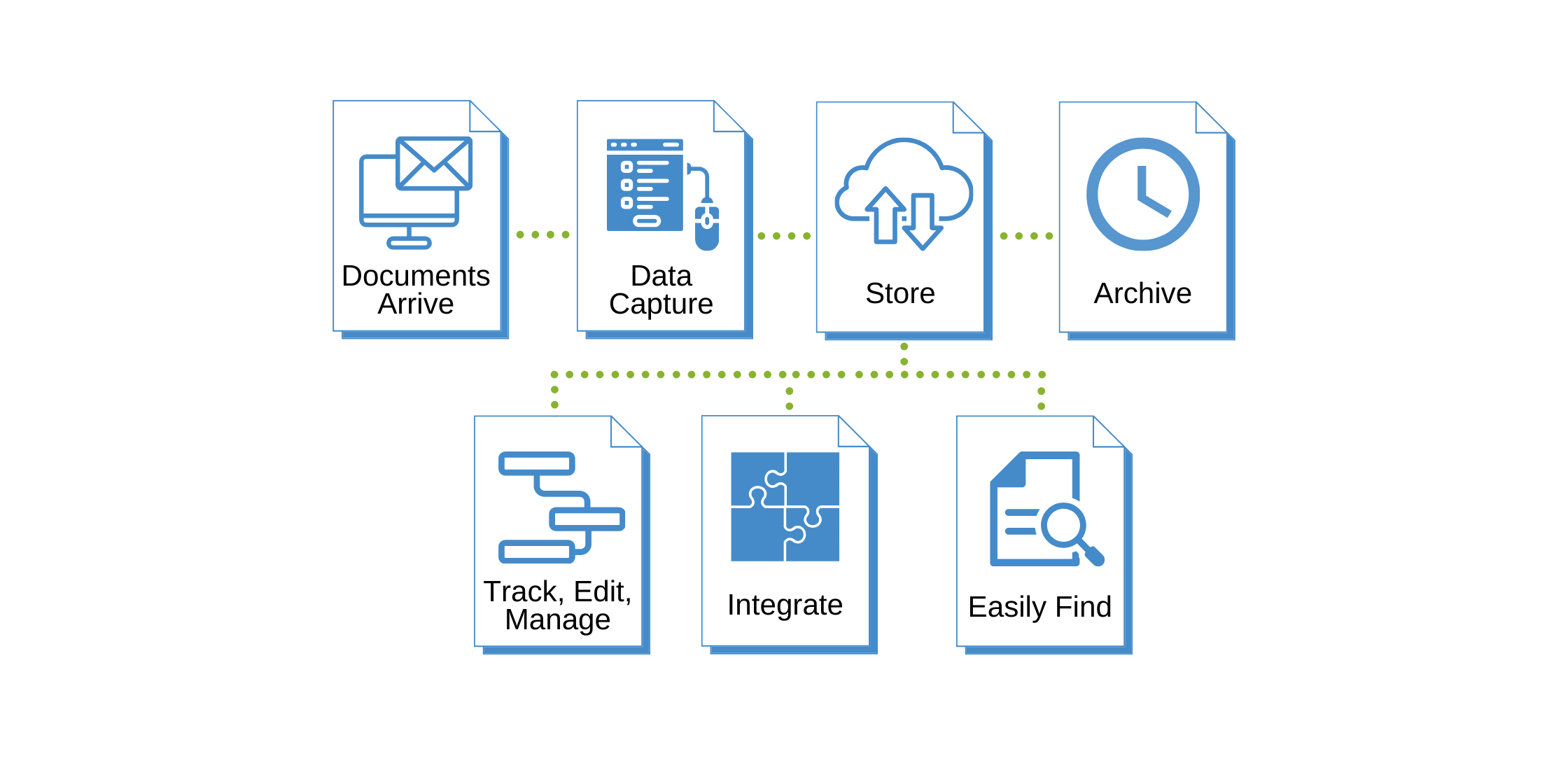
A file management system (FMS) is software that provides a structured way to store, organize, name, retrieve, and secure digital files from a single interface. It goes beyond simple folders by allowing users to create, access, update, and delete files within a centralized and secure environment.
In practice, an FMS acts as the backbone of a company’s information management. It replaces physical filing cabinets and scattered digital storage, giving teams one place to organize, access, collaborate, and share files efficiently.
There are three main types of file management systems:
- Hierarchical: Files are stored in a tree-like structure of folders and subfolders, making it the most common and familiar approach for businesses
- Relational: Files are organized based on relationships between data, enabling faster and more context-aware search and retrieval
- Network: Files are stored and accessed across multiple devices connected to a network, allowing teams to share and collaborate more easily
File management system vs. document management system: What’s the difference?
A file management system and a document management system are often used interchangeably, but they are not the same. A file management system (FMS) is actually a core part of a broader document management system (DMS).
The key difference lies in their scope. An FMS focuses on organizing and retrieving all types of files such as images, videos, spreadsheets, and documents. Meanwhile, a DMS manages the entire lifecycle of business documents, from creation and editing to approval workflows, compliance, and long-term storage.
This distinction becomes important as businesses grow. According to a 2023 Adobe Acrobat survey, nearly half of respondents struggle to quickly find documents, and 47% find their company’s filing system confusing and ineffective, highlighting the need for more advanced systems.
| Feature / Aspect | File Management System (FMS) | Document Management System (DMS) |
|---|---|---|
| Primary Focus | Storing, naming & retrieving all file types (images, videos, spreadsheets, docs) | Managing the complete lifecycle of business documents |
| Organization | Folder/directory hierarchy, manual naming conventions | Metadata tagging, indexing, and automated classification |
| Version Control | Limited or manual; risk of overwriting or duplicate files | Built-in version history; every edit tracked with author & timestamp |
| Search Capability | Search by filename or folder location only | Full-text search, metadata search, content-based indexing |
| Collaboration | Basic shared access; no real-time co-editing | Real-time co-editing, commenting, and approval workflows |
| Compliance & Audit | Minimal audit trail; manual compliance tracking | Complete digital audit trail; built-in compliance and retention rules |
| Access Control | Basic folder-level permissions | Role-based, granular permissions at document level |
| Workflow Automation | None; manual routing and approvals | Automated routing, approvals, and lifecycle triggers |
| Scalability | Degrades as volume grows; requires manual maintenance | Scales to thousands of files/users with consistent performance |
| Best For | Personal use, small teams, simple storage needs | Businesses needing structured document control, compliance & collaboration |
Read more: Top 12 Cloud Based Document Management System for EnterpriseWhy businesses need a file management system
As businesses grow, managing files manually becomes inefficient and risky. Here are some data-backed reasons why adopting a structured file management system is no longer optional:
1. Time lost searching for files
Many businesses underestimate how much time is wasted just looking for documents. Employees spend around 20% of their workday searching for information, which equals one full day every week lost before real work even begins (Hyland).
By switching to a structured, digital file management system, companies can streamline access and even save up to $40,000 per year by reducing manual processes like printing, storage, and retrieval (Hyland).
2. Risk of data loss and version confusion
Without proper control, files can easily be overwritten, deleted, or duplicated. Teams often end up working on different versions of the same document without realizing it, leading to errors and rework.
A file management system solves this with version history and backup mechanisms, ensuring every change is tracked and data remains protected.
3. Security and compliance gaps
Basic folder systems are not built to handle modern compliance requirements. Businesses dealing with sensitive data need controlled access, audit trails, and clear retention policies.
File management systems provide features like encryption, password protection, and activity tracking, helping ensure that only authorized users can access critical information.
4. Collaboration bottlenecks
Sharing files through email or scattered platforms slows teams down, especially in remote or hybrid setups.
A centralized file management system creates a single source of truth where teams can access, share, and collaborate on files securely, ensuring everyone works on the latest version without confusion.
Read more: 12 Strategies to Improve Team Collaboration & CommunicationKey benefits of using a file management system
Adopting a file management system creates measurable improvements across productivity, security, and collaboration.
- Improved organization: A file management system creates a structured and searchable approach to storing files, reducing clutter, duplication, and time spent searching manually
- Faster and more accurate search: A file management system enables quick retrieval of files using search, indexing, and metadata instead of relying on folder navigation
- Enhanced collaboration: A file management system provides centralized access so teams can share, edit, and manage files without version conflicts or email back-and-forth
- Greater security and access control: A file management system protects sensitive data through role-based permissions, encryption, and controlled access
- Streamlined workflows and automation: A file management system automates repetitive tasks such as file sorting, naming, and backups to improve efficiency
- Backup and version control: A file management system maintains file history and allows easy restoration of previous versions to prevent data loss
- Audit and compliance readiness: A file management system logs all file activities, making it easier to meet regulatory requirements and track document changes
- Cost efficiency: A file management system reduces operational costs by minimizing manual processes, paper usage, and storage expenses
- Scalability: A file management system supports growing file volumes and users without requiring major restructuring or additional resources
Read more: 7 Best AI & Workflow Automation SaaS ToolsHow to implement a file management system
Implementing a file management system requires aligning people, processes, and structure to ensure long-term success.
1. Audit your current file management process
Start by identifying where files are currently stored, how teams access them, and what problems exist. Look for duplicate files, unclear naming, limited access control, or difficulty in searching documents. This step helps you understand what needs to be fixed.
2. Define a clear folder structure and naming convention
Create a standardized structure that reflects how your business operates. Use consistent naming formats that include key details like date, project name, and version number. Document these rules so every team follows the same system.
3. Choose the right file management system
Evaluate different solutions based on ease of use, security, integration, and scalability. Consider whether your business needs a basic file system or a more advanced solution that includes document workflows and automation.
4. Clean up and migrate existing files
Before moving files into the new system, remove duplicates, archive outdated documents, and organize files into the new structure. This prevents old chaos from being carried into the new system.
5. Set up access control and permissions
Define who can view, edit, or delete files based on roles, teams, or departments. This ensures sensitive information is protected and only accessible to authorized users.
6. Train employees and drive adoption
Introduce the system with proper onboarding. Make sure all users understand how to organize files, follow naming conventions, and use key features. Early training helps reduce resistance and ensures consistency.
7. Automate repetitive processes
Use automation to handle tasks like file sorting, naming, backups, and approval routing. This reduces manual work and keeps the system organized without constant oversight.
8. Monitor, review, and improve regularly
Schedule regular audits to maintain file quality. Check for duplicates, ensure naming consistency, and update structures as the business evolves. Continuous improvement keeps the system effective over time.
File management system as part of a document management system (DMS)
A file management system is the foundation of a Document Management System. It focuses on storing, organizing, and retrieving files, while a DMS expands this with lifecycle management, workflows, compliance, and advanced collaboration.
In simple terms, every DMS includes file management, but not every file management system offers the full capabilities of a DMS. As businesses grow, many move from basic file storage to a more advanced system that supports automation and governance.
When does a business need to move beyond FMS to a full DMS?
- Managing large volumes of documents across teams or locations
- Meeting compliance requirements that require audit trails and retention policies
- Supporting remote or hybrid work with secure centralized access
- Automating approvals, document routing, and e-signatures
- Integrating with accounting, ERP, or HR systems for better data flow
How Mekari Officeless helps you manage files and documents smarter
Managing files is only the first step. As your business grows, you need a system that not only organizes documents but also controls how they move, are accessed, and stay compliant. This is where Mekari Officeless comes in.
Mekari Officeless is a platform that democratizes the creation of business applications, workflow automation, and analytics — part of Mekari unified software ecosystem.
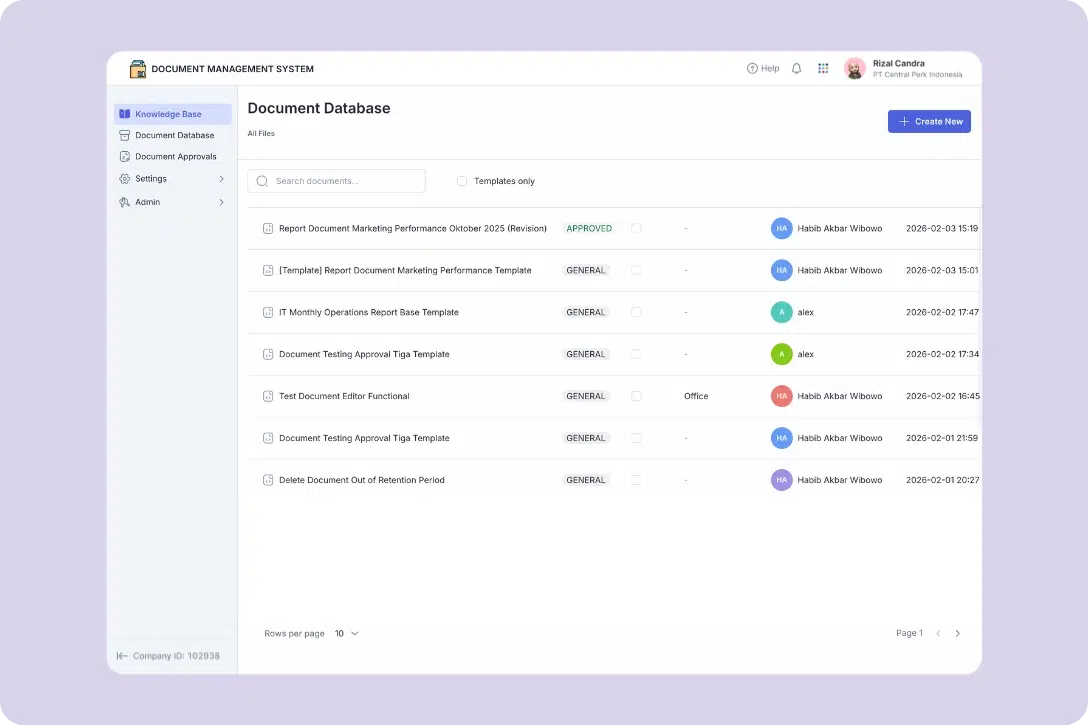
Its Document Management System (DMS) includes full file management capabilities, while also adding workflow automation, access control, and compliance-ready governance in one system.
With Mekari Officeless, you get:
- Centralized file storage: Structured folders and metadata tagging make files easy to organize and retrieve instantly
- Granular access control: Role-based permissions ensure only the right people can view or edit documents
- Version control and audit trail: Every change is tracked, with full history available for compliance and accountability
- Automated workflows: Route documents for approval, review, and sign-off without manual follow-ups
- Advanced search capability: Find documents quickly by metadata, file type, date, or content
- Seamless integration: Integrated with Mekari unified software ecosystem
- Mobile accessibility: Access and manage documents anytime, anywhere in a secure cloud environment
By combining file management, document control, and workflow automation in one platform, Mekari Officeless helps businesses stay organized, efficient, and compliant as they scale.
References
Egnyte. ‘’File Management System: Benefits & Use Cases’’
Hyland. ‘’File Management Systems 101’’
Mailchimp. ‘’What Is File Management? Basics and Benefits’’
