


Mekari Insight
- Document control software ensures documents are always accurate, approved, and up to date, reducing errors and rework. Key features to look for include version control, workflow automation, audit trails, and role-based access
- Combining document management and document control is essential to avoid risks like outdated files, poor traceability, and slow approvals
- The right software improves efficiency, strengthens compliance, and makes document retrieval faster across teams
- For businesses that want a ready-to-use solution with built-in control and flexibility, platforms like Mekari Officeless, part of Mekari unified software ecosystem, can simplify document management and governance in one system
Struggling with scattered documents, outdated versions, or slow approval processes? That is common. Many teams still rely on manual workflows that create confusion, delays, and compliance risks.
Document control software is designed to solve exactly these problems by ensuring every document is accurate, traceable, and properly approved.
In this guide, Mekari breaks down how it works, what features to look for, and the best tools available today. Keep reading to find the right solution for your business.
What is document control software?
Document control software is a system designed to manage the full lifecycle of documents, from creation and review to approval, distribution, and version tracking in a structured and controlled way.
To better understand it, here’s how it differs from a document management system:
- Document management system (DMS): Focuses on storing, organizing, and retrieving documents to improve accessibility and operational efficiency
- Document control software: Focuses on controlling how documents move across people and processes, ensuring the right version reaches the right person at the right time with full traceability
In practice, document control goes beyond storage. It ensures information flows correctly across teams, reduces the risk of outdated documents being used, and supports compliance with standards like ISO 9001 and ISO 13485.
When document management and document control are not used together, organizations can run into serious issues, such as using outdated documents, failing compliance checks, losing document traceability, experiencing slow approval processes, and missing important deadlines.
Read more: Top 12 Cloud Based Document Management System for EnterpriseBenefits of document control software
Document control software helps organizations reduce operational risks while improving efficiency and compliance. Here are the five key benefits:
- Prevents errors from outdated documents: Ensures everyone uses the latest approved document, reducing rework, confusion, and project delays
- Speeds up workflows and reduces manual effort: Automation can improve document processing accuracy by up to 88% and reduce human error by 32%, with some processes accelerating dramatically, such as reducing turnaround time from 14 days to just 14 minutes (Verdocs)
- Strengthens data security and reduces breach costs: Organizations using security and automation tools can lower data breach costs by an average of $1.9 million, thanks to controlled access and better document governance (Business.com)
- Improves compliance and reduces audit risks: Poor audit visibility can lead to fraud cases costing around $1.78 million and going undetected for up to 12 months, while document control provides clear audit trails and traceability to prevent this (Onspring)
- Saves time spent searching for documents: Knowledge workers regularly search through files and emails to find the right document, while document control systems make retrieval faster through structured organization and search
With these benefits, document control software not only improves day-to-day efficiency but also reduces risk, strengthens compliance, and enables teams to work with greater confidence.
Read more: What Is a File Management System and Why Your Business Needs OneKey features to look for in document control software
Choosing the right document control software comes down to how well it helps you manage documents accurately, securely, and efficiently across teams. Here are the key features to prioritize:
- Version control and document history: Tracks every change made to a document, showing who edited what and when, so teams always work on the latest version
- Workflow automation: Routes documents through review and approval processes automatically, with notifications and escalation to avoid delays
- Search and metadata: Enables fast document retrieval using keywords, tags, or filters, so you can find files in seconds instead of digging through folders
- Access control and permissions: Lets you define who can view, edit, or approve documents, ensuring sensitive information stays protected
- Audit trail and compliance reporting: Provides a clear, tamper-proof record of all document activities for audits and regulatory requirements
- Integrations: Connects with systems like ERP, HRIS, e-signature tools, and project management platforms to streamline workflows
- Security and certifications: Includes data encryption, secure access, and compliance with standards like ISO 27001 to protect critical information
- Ease of use and onboarding: Offers intuitive interfaces, low-code or no-code setup, and mobile access so teams can adopt it quickly
- Scalability: Supports growing document volumes, users, and workflows as your business expands
- Pricing model: Flexible pricing options such as per user, per feature, or enterprise plans to match your budget and needs
With these features in place, document control software can significantly reduce manual work, improve accuracy, and strengthen compliance across your organization.
Best document control software recommendations
Here are some of the best document control software options to consider, based on different business needs, industries, and levels of complexity.
1. Mekari Officeless DMS
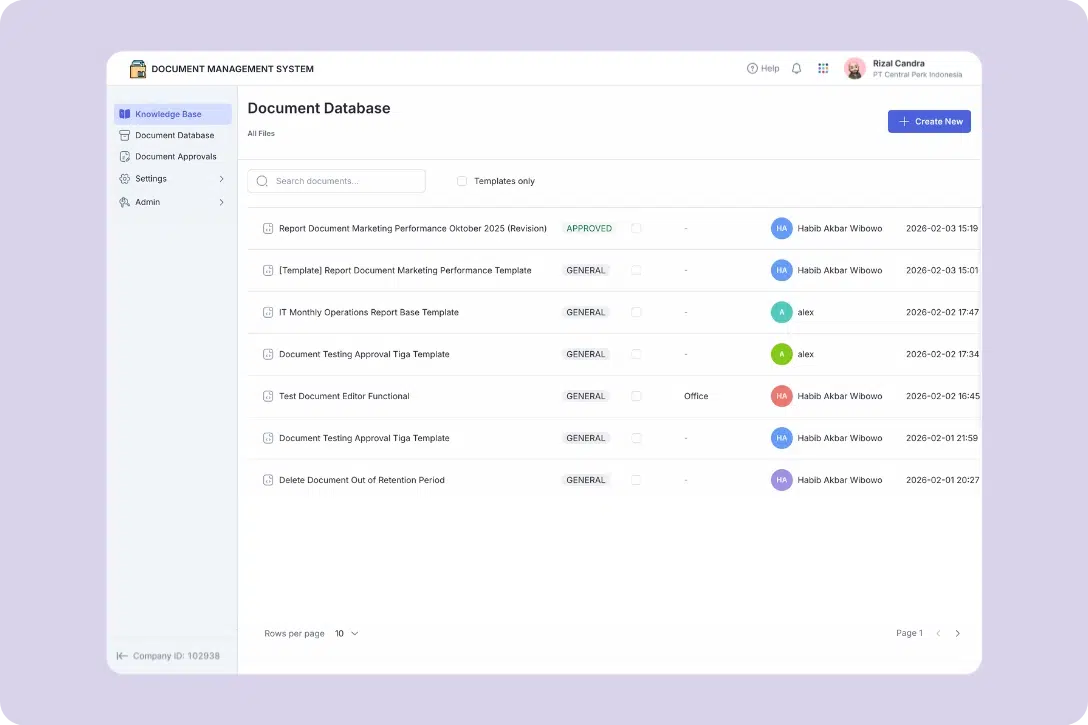
Mekari Officeless, part of Mekari unified software ecosystem, offers a document management system that also functions as a document control software, helping organizations not only store and organize documents but also manage their full lifecycle with structured workflows, version control, and access governance.
This makes it suitable for companies that need both efficient document management and strict control for compliance and operational accuracy.
Key features:
- Centralized knowledge base: Provides a structured digital library where employees can easily access approved policies, guidelines, and controlled documents through search and categorization
- Document database and templates: Enables teams to create, store, and reuse standardized templates, ensuring document consistency while maintaining control over official formats
- Automated document approvals: Supports structured approval workflows for document creation, revisions, and periodic reviews, ensuring every document is validated, tracked, and compliant before use
- Standardization and document control: Applies predefined document types and automatic numbering schemes to enforce consistency, improve traceability, and maintain audit-ready documentation
- Secure role-based access control: Allows granular permission settings based on roles and organizational structure, ensuring only authorized users can access or modify controlled documents
- Administrative configuration and governance: Provides centralized controls to manage approval rules, document categories, folder structures, and governance policies for structured document control
Usage scenarios:
- Policy and SOP documentation: Ensure employees always access the latest approved and controlled versions of company policies
- Compliance and audit support: Maintain complete audit trails, approval records, and document traceability for regulatory requirements
- Cross-department collaboration: Enable structured document reviews and approvals across teams within a controlled system
- Reducing manual approval bottlenecks: Replace scattered, email-based approvals with transparent workflows that track responsibilities and status in real time
Best for: Enterprise teams needing prebuilt, customizable document control software
Read more: Top 11 Legal Document Management System to Save 12 Hours/Week2. Microsoft SharePoint
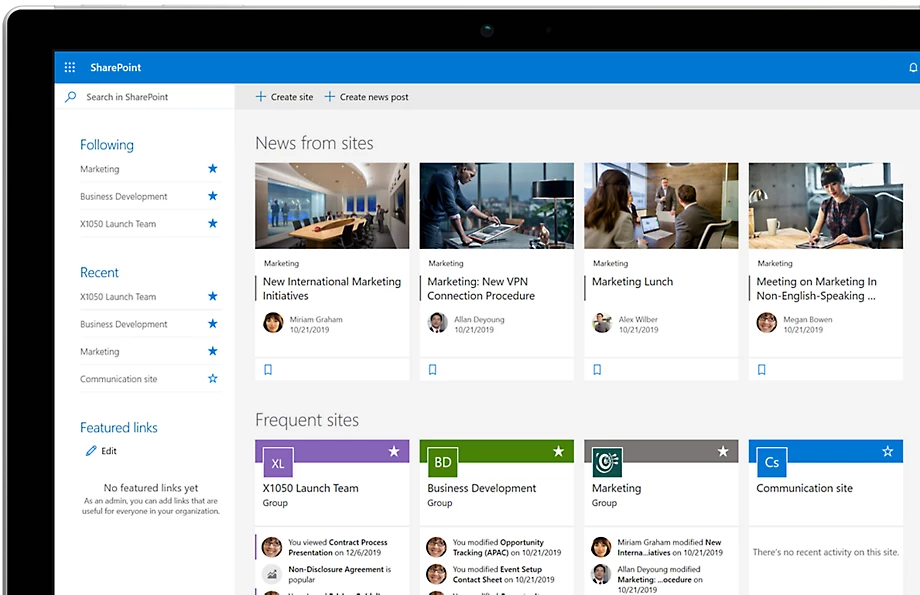
Microsoft SharePoint is a widely used document management and collaboration platform, especially for organizations already using Microsoft 365. It enables teams to manage documents, collaborate in real time, and build internal portals.
Key features:
- Deep Microsoft 365 integration: Seamlessly connects with Teams, Outlook, and OneDrive for unified collaboration and document sharing
- Document versioning and co-authoring: Allows multiple users to work on documents simultaneously while maintaining version history
- Custom workflows with Power Automate: Automate approvals, notifications, and document processes within the Microsoft ecosystem
- Granular access permissions: Set detailed access controls at file, folder, or site level for better security
- Enterprise-grade scalability: Supports large organizations with complex document structures and high user volumes
Best for: Enterprise teams in Microsoft 365 ecosystem
3. DocuWare
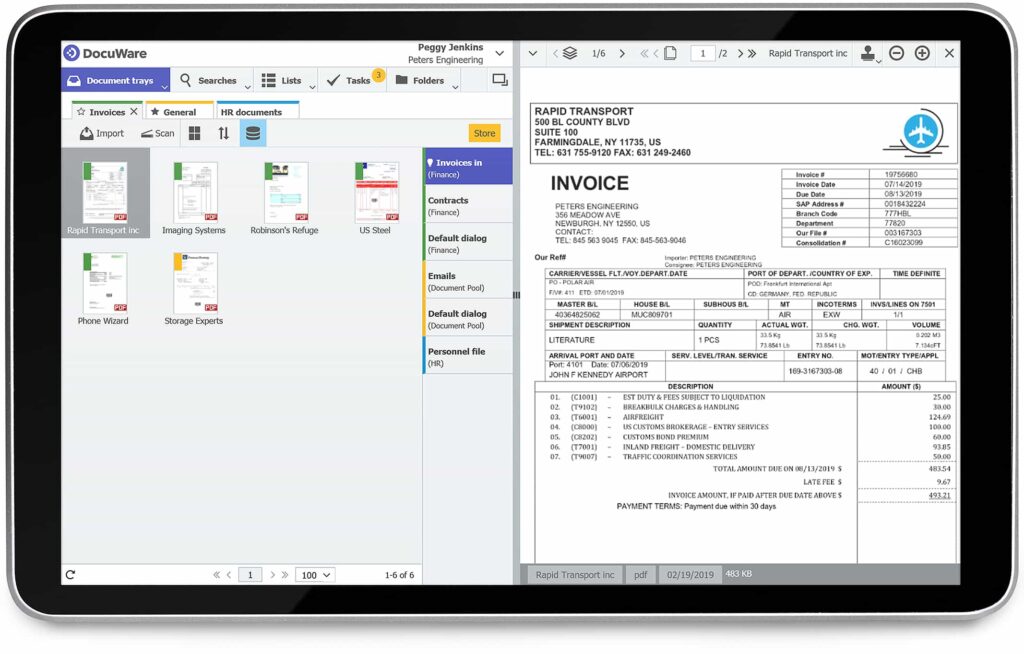
DocuWare is known for its strong workflow automation capabilities and ability to integrate with a wide range of business applications, making it ideal for companies looking to digitize document-heavy processes.
Key features:
- Automated document workflows: Route documents through approval and processing steps automatically, reducing manual intervention
- Extensive integrations: Connects with over 500 applications including ERP and accounting systems for seamless data flow
- Smart indexing and search: Automatically categorize documents and retrieve them quickly using metadata and keywords
- Secure cloud storage: Protect sensitive documents with encryption and controlled access
- Compliance support: Maintain audit trails and document logs to meet regulatory requirements
Best for: Workflow automation and integrations
4. M-Files
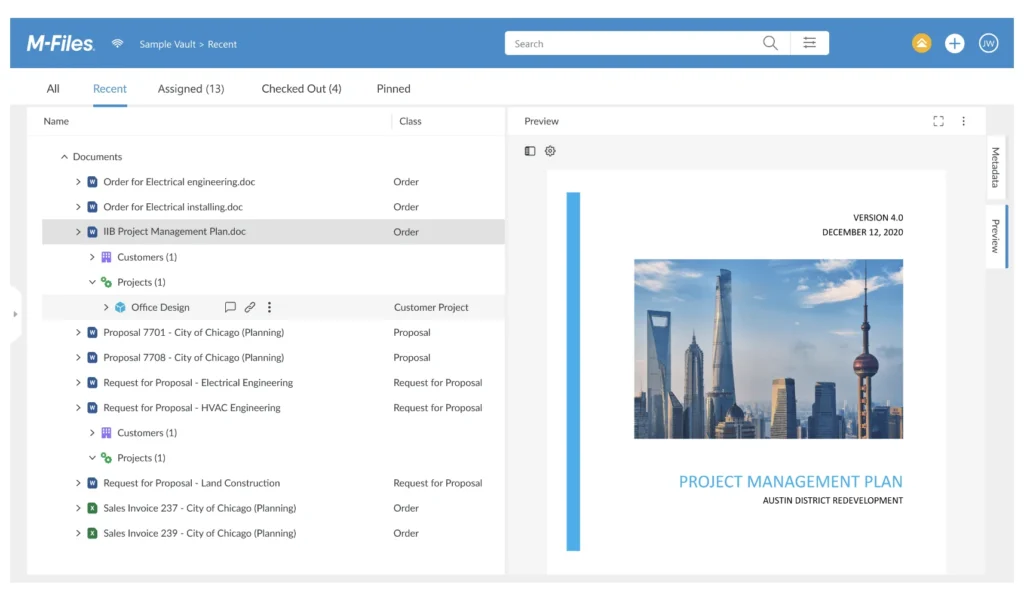
M-Files stands out for its metadata-based approach, allowing users to find documents based on what they are, not where they are stored. It also leverages AI to improve document discovery and organization.
Key features:
- Metadata-driven organization: Classify documents using metadata instead of folders for more flexible and accurate retrieval
- AI-powered search: Quickly locate documents using intelligent search that understands context and content
- Automated workflows: Trigger document processes based on rules, status, or metadata changes
- Version control and compliance: Ensure document accuracy with built-in tracking and audit trails
- Integration capabilities: Connect with existing systems to unify document access across platforms
Best for: Metadata-driven, AI-powered search
5. Google Workspace (Drive)
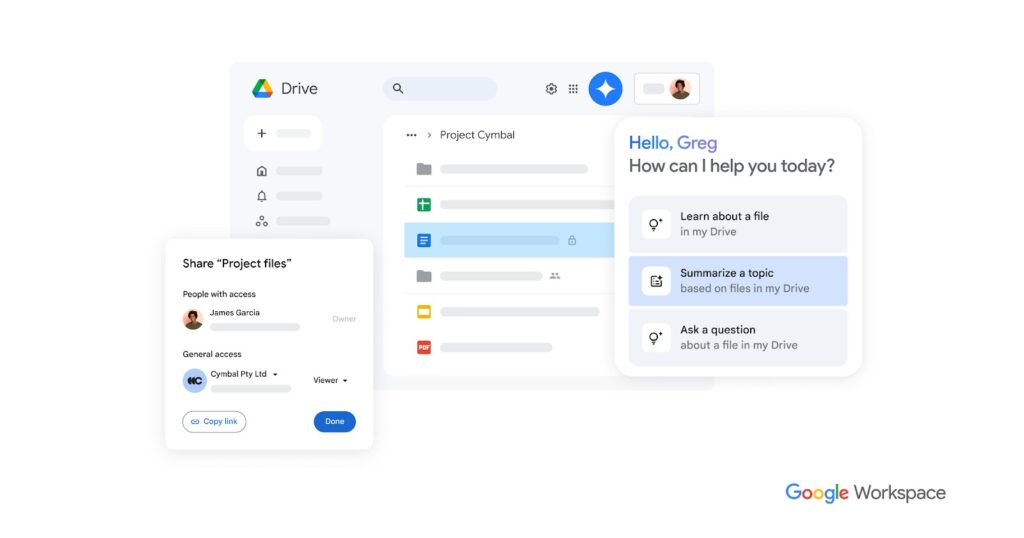
Google Drive, part of Google Workspace, is a popular choice for small to mid-sized businesses that prioritize ease of use and real-time collaboration.
Key features:
- Real-time collaboration: Multiple users can edit documents simultaneously with instant updates and comments
- Cloud-based accessibility: Access files from anywhere with automatic syncing across devices
- Simple sharing and permissions: Easily control who can view, comment, or edit documents
- Built-in productivity tools: Integrates with Docs, Sheets, and Slides for seamless document creation
- Search functionality: Quickly find files using Google’s powerful search capabilities
Best for: Real-time collaboration for SMBs
6. Laserfiche
Laserfiche provides a robust enterprise content management solution that supports both cloud and on-premise deployments, making it suitable for organizations with strict IT requirements.
Key features:
- Enterprise-grade document control: Manage large volumes of documents with structured classification and storage
- Process automation: Automate business processes such as approvals and document routing
- Flexible deployment options: Choose between cloud, on-premise, or hybrid environments
- Advanced security controls: Protect sensitive data with detailed access permissions and encryption
- Compliance and records management: Support regulatory requirements with retention policies and audit logs
Best for: Enterprise content management, cloud or on-premise
7. Revver (formerly eFileCabinet)
Revver is designed for small and mid-sized businesses that need an all-in-one solution to manage documents from creation to storage and retrieval.
Key features:
- End-to-end document lifecycle management: Handle document creation, storage, sharing, and archiving in one platform
- Automated workflows: Streamline approvals and document routing to reduce manual work
- Secure file storage: Protect documents with encryption and access controls
- Search and retrieval tools: Quickly locate documents using indexed search
- User-friendly interface: Easy to adopt for teams without extensive technical expertise
Best for: SMBs needing full document lifecycle
8. MasterControl
MasterControl is tailored for highly regulated industries that require strict document control, compliance, and audit readiness.
Key features:
- Compliance-focused document control: Designed to meet regulatory standards such as FDA and ISO requirements
- Audit-ready documentation: Maintain complete audit trails and validation records
- Quality management integration: Combine document control with quality and compliance processes
- Automated workflows: Ensure documents follow strict approval and review procedures
- Risk and change management: Track changes and manage risks associated with document updates
Best for: Regulated industries (pharma, medical, compliance)
9. DocuPhase
DocuPhase focuses on automating document-centric processes, helping businesses reduce manual tasks and improve operational efficiency.
Key features:
- Workflow automation engine: Automate document routing, approvals, and processing tasks
- Data capture and extraction: Extract information from documents to reduce manual data entry
- Integration with business systems: Connect with ERP and accounting tools for end-to-end automation
- Document storage and retrieval: Organize and access documents efficiently with structured storage
- Process visibility: Monitor document workflows and identify bottlenecks
Best for: Automated document workflows
10. Box
Box is a cloud-based content management platform known for its strong security features and flexibility across different cloud environments.
Key features:
- Secure cloud content management: Store and manage documents with enterprise-grade security and encryption
- Collaboration tools: Enable teams to share, review, and edit documents seamlessly
- Multi-cloud support: Integrate with various cloud platforms for greater flexibility
- Access controls and governance: Manage permissions and ensure compliance with data policies
- Extensive integrations: Connect with popular enterprise tools to enhance workflows
Best for: Cloud flexibility, multi-cloud security
Take control of documents with Mekari Officeless
Document chaos leads to wasted time, costly errors, and compliance risks. Without proper control, teams often deal with outdated files, slow approvals, and poor traceability.
The solution is combining document management and document control in one system. This ensures documents are not only easy to access but also properly reviewed, approved, and audit-ready at all times.
Mekari Officeless, part of Mekari unified software ecosystem, offers a prebuilt Document Management System that also functions as document control software, helping businesses streamline document workflows without complex setup.
Key capabilities include:
- Centralized document storage for easy access
- Standardized templates for consistency
- Automated approval workflows to speed up processes
- Version control and numbering for traceability
- Role-based access to protect sensitive data
- Admin controls for structured governance
With Mekari Officeless, teams can reduce document chaos, improve efficiency, and maintain full control over compliance and operations.
References
Business.com. ‘’Best Document Management Software Reviews of 2026’’
Onspring. ‘’What is an Audit Trail? Definition & Key Components’’
Verdocs. ‘’42 Document Lifecycle Management Statistics’’
